How the web works - MDN
This MDN article takes the vague experience of "opening a website" and decomposes it into a small chain of technical events: client, server, DNS lookup, TCP/IP transport, HTTP request and response, packets, status codes, and URL structure. The page is not trying to make the reader a network engineer. It is trying to replace magical thinking with a working mental model.
The Web As A Sequence
The most useful part of the article is its event order. You enter a URL. The browser consults DNS to resolve the domain name into an IP address. The client opens a connection, sends an HTTP request over TCP/IP, receives a response from a web server, and then assembles incoming packets into the files needed to display the page.
That sequence matters because it clarifies where different failures live. Wrong URL, DNS problem, missing file, permission issue, server outage, or redirect loop are not all the same kind of problem just because the user experiences them as "the page didn't load."
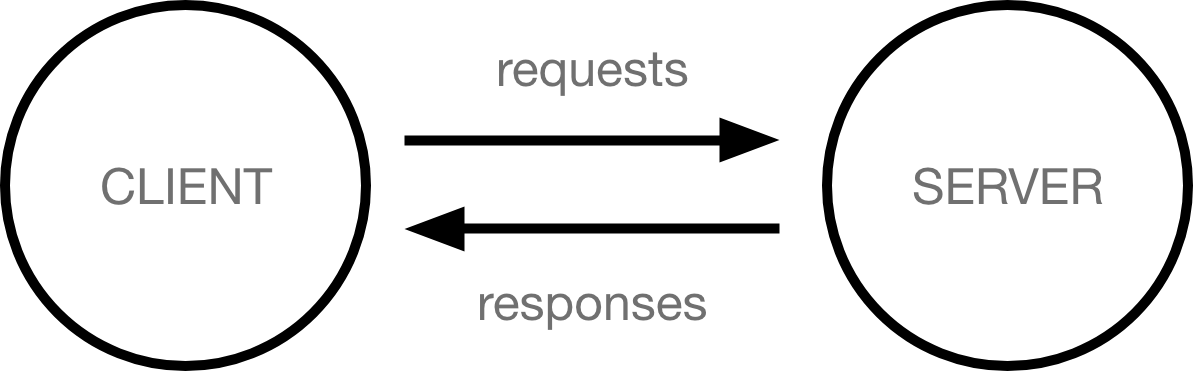
The article's visuals support that sequence directly. The simple client-server diagram makes request and response into two visible arrows instead of a blur of invisible networking. The road-crossing photo anchors the transport analogy: client and server are at opposite ends, while the "road" stands for the internet connection and the machinery that moves data back and forth.
Naming The Hidden Layers
The source is especially good at giving names to the hidden infrastructure beginners interact with constantly but rarely distinguish: protocols, packets, headers, status codes, domain names, subdomains, and paths. It treats these as the basic vocabulary of web reality.
The transport layer matters here too. The article does not go deep into networking, but it does insist that data travels as many small chunks rather than as one giant file. Each packet carries addressing and ordering information plus payload, which is why a browser can reassemble a page even if the pieces arrive out of order. That also explains why packet loss or corruption can be repaired at the packet level instead of forcing the browser to fetch an entire file again.
The HTTP section is stronger than a pure beginner gloss because it includes both a sample request and status-code thinking. A simple GET request asks for a resource. The server answers with a response body plus status information. 200 means success. 301 means moved. 400 means malformed request. 403 means forbidden. 404 means not found. 503 means the server is temporarily unable to handle the request. These are not trivia. They are the visible labels of different failure modes.
URL Structure As A Teaching Device
The article also uses the URL itself as a compact map of web structure. https tells you the protocol, the domain tells you which server namespace you are trying to reach, a subdomain may point to a specific content area, and the path identifies the resource location within the site. This makes the address bar more than a typing field. It becomes a visible trace of how the web organizes resources.
Worth coming back to: this source makes the web legible by turning "loading a page" into a chain of named steps. Once those steps are named, later learning has places to attach.
Sources
raw/How the web works - MDN (ingested).md