Computational Thinking: An Introduction
Computational Thinking: An Introduction
Source: Let's Talk Science (letstalkscience.ca, 2020)
Format: Educational explainer with framework diagrams and visual icons
Scope: Full 3-layer CT framework — 9 Practices, 9 Concepts, 4 Approaches — plus CT's position within Digital Literacy and Computer Studies
Key Argument
CT is not the same as coding, and it is not only for computer scientists. It is a set of problem-solving skills that every student needs to develop — and many aspects of CT can be practiced without a computer at all.
The term "Computational Thinking" is appearing in curricula worldwide, but there is no single universally accepted definition. This source synthesizes definitions from multiple international bodies (CSTA, ISTE, Computing at School UK, Brookfield Institute, MIT Media Lab) into a unified framework.
A rich CT environment is one in which a user can develop skills to become a creator. — Lee et al. (2011)
Where CT Fits
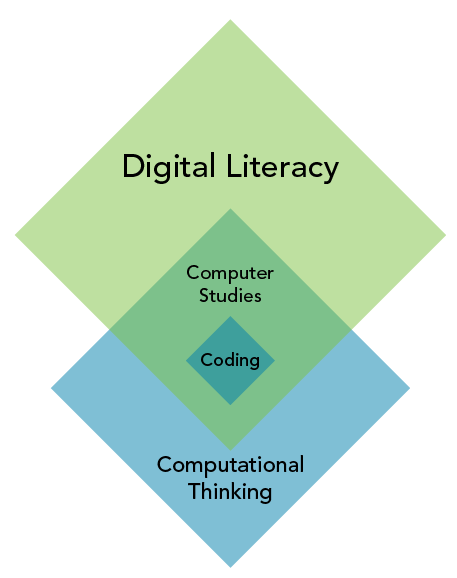
Digital Literacy (DL): Capacity to use digital technology to find, organize, evaluate, and create information.
Computer Studies (CS): Intersection of DL and CT — "about how computers compute," more than just programming.
Computational Thinking (CT): Draws on tools and concepts of computing (abstraction, decomposition, algorithmic thinking) but applies beyond computers.
Coding: Falls squarely within DL, CS, and CT — telling computers what to do using a specific language.
CT and DL do not fully overlap because some CT development happens unplugged.
The CT Framework
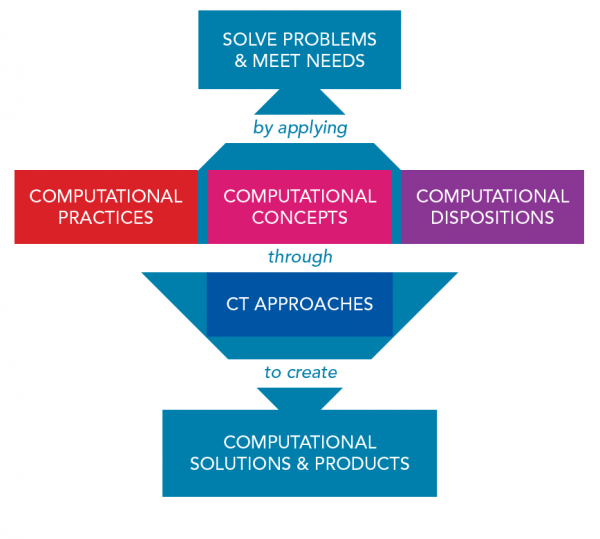
Layer 1 — Computational Practices (Skills)
The doing layer: active skills students exercise when solving problems computationally.
Abstraction 
Reduce complexity by focusing on what matters; remove irrelevant detail. Models and simulations are abstractions. Examples: identify the key skills for a baseball pitcher; code a volcano simulation.
Algorithmic Thinking 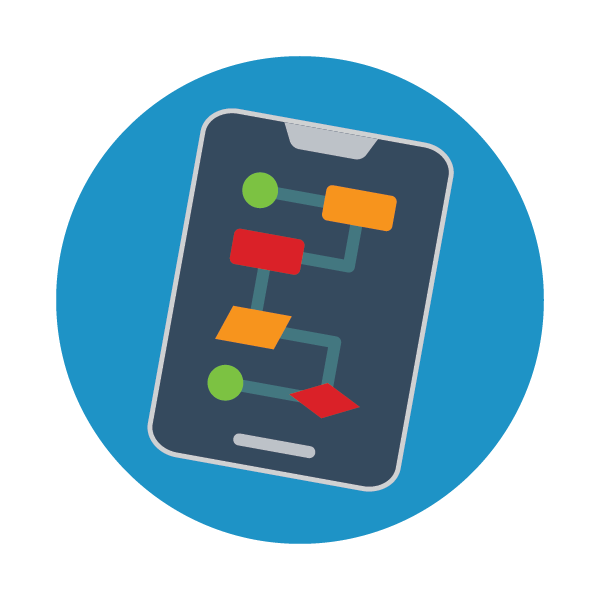
Create an ordered, logical, unambiguous set of instructions to solve a problem or achieve an objective. Examples: steps to make a sandwich; algorithm to identify birds in the backyard.
Data Collection & Analysis 
Plan and gather information to answer a question; then observe data to find patterns, trends, and discrepancies. Examples: counting animals crossing a road; analyzing seed germination over two weeks.
Data Representation 
Convert collected data into human-readable formats: tables, charts, graphs, infographics. Examples: representing carbon dioxide levels across Canadian cities; organizing math test scores.
Debugging 
Find and fix errors in code. Bugs include syntax errors (spelling) and logic errors (incorrect reasoning). Requires logical thinking. Examples: diagnosing why code won't compile; finding why a program returns unexpectedly large answers.
Decomposition 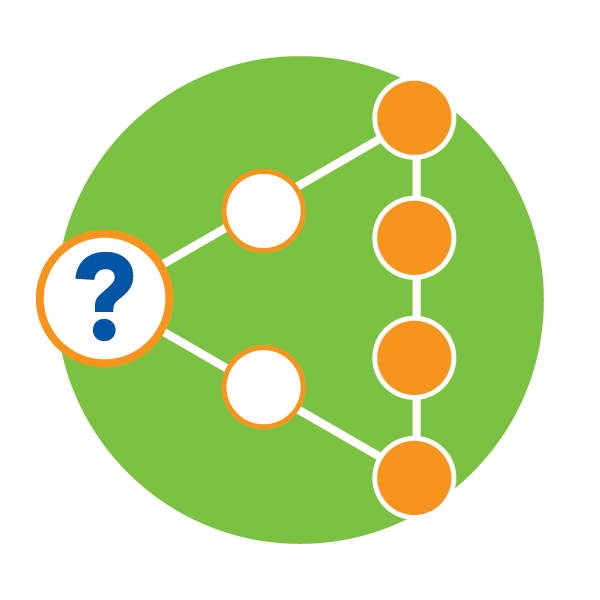
Break a problem into smaller sub-problems; solve each; combine solutions. Also means thinking about computational products in terms of component parts (graphics, data, user interface). Examples: listing all tasks needed to bake a cake; dividing a video game project among teammates.
Logical Thinking 
Reason from premises to conclusions. Deductive: specific premise → specific conclusion (certain). Inductive: specific premise → broad conclusion (probable). Applies in abstraction, algorithm design, and pattern recognition.
Pattern Recognition 
Identify recurring sequences in data or processes. Enables prediction, rule creation, and applying previously successful methods to new problems. Examples: recognizing which notes repeat in music; seeing what happens after two strikes in baseball.
Testing & Evaluating 
Try something, observe what happens, judge against criteria; correct or improve if needed. Programming is inherently iterative: test → evaluate → revise is a constant loop.
Layer 2 — Computational Concepts (Understanding)
The knowing layer: the conceptual vocabulary of programming.
Conditionals 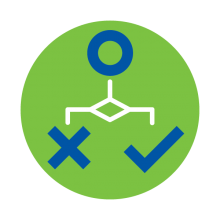
If/then/else logic that directs flow without human intervention. Examples: if raining, wear boots, else wear running shoes; if temperature > 25°C, display happy face.
Data 
Values that computers store and retrieve. Common types: character, string, integer, float, Boolean. Boolean (true/false) is especially important for conditionals.
Events 
One action triggers another. User inputs — clicks, keypresses, screen touches — are the most common events in interactive software.
Functions 
Groups of steps packaged under one command name, reusable wherever needed. Based on pattern recognition, abstraction, and logical thinking.
Inputs & Outputs (I/O) 
Communication between humans and computers, or between computers and their environment. Input devices: keyboard, mouse, sensors. Output devices: screen, speakers, motors.
Operators 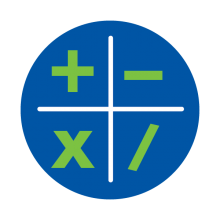
Characters telling computers to perform math or logic operations. Math: +, -, *, /. Comparison: <, >, ==. Logic: AND (&&), OR (||), NOT (!).
Repetition (Loops) 
Repeat steps automatically. Loops reduce code length and enable efficient automation. Examples: making 100 sandwiches efficiently; car game running around a track 10 times.
Sequences 
Steps always follow an order — though sequences are rarely linear. They may branch (conditionals) and repeat (loops). Flowcharts are the standard tool for visualizing sequences.
Variables 
Named containers for data. Abstract: the variable name represents something else (the stored value). Variables have a name, a type, and a value.
Layer 3 — Computational Approaches (Perspectives)
The being layer: how learners engage with coding. Maps to the Use-Modify-Create (UMC) progression (Lee et al. 2011).
Making 
Write code from beginning to end without using existing code. The CREATE phase. Comes after familiarity with tinkering and remixing.
Reusing & Remixing 
Take existing code and adapt it to a new purpose. The MODIFY phase. Using Scratch library images; taking someone else's project and making it your own.
Tinkering 
Explore code in a playful, experimental way. Change things to see what happens. The USE phase. Develops creative thinking and cause-effect understanding before formal learning.
Unplugged 
CT without computers. Logic puzzles, mazes, paper programming, games with rules, recipes, maps. Important: CT is not dependent on technology.
Cross-links
- computational-thinking — synthesized concept page
- problem-framing — decomposition as framing move
- design-thinking — parallel problem-solving framework
- inductive-reasoning — one mode of logical thinking within CT
- deductive-reasoning — the other mode
- agentic-coding-workflows — CT applied to AI coding agent work
- apple-developer-academy-prep-digital-literacy — CT within the DL cluster